Find the tools you pay for twice
You can name every tool you pay for, who owns it, which client it serves and which overlap to cancel.
- Step 01
Open the ledger
Every tool with its owner, monthly cost, seats and renewal date in one table. The free Stack audit gives you the totals from numbers you paste; the ledger keeps every tool behind them.
Example data 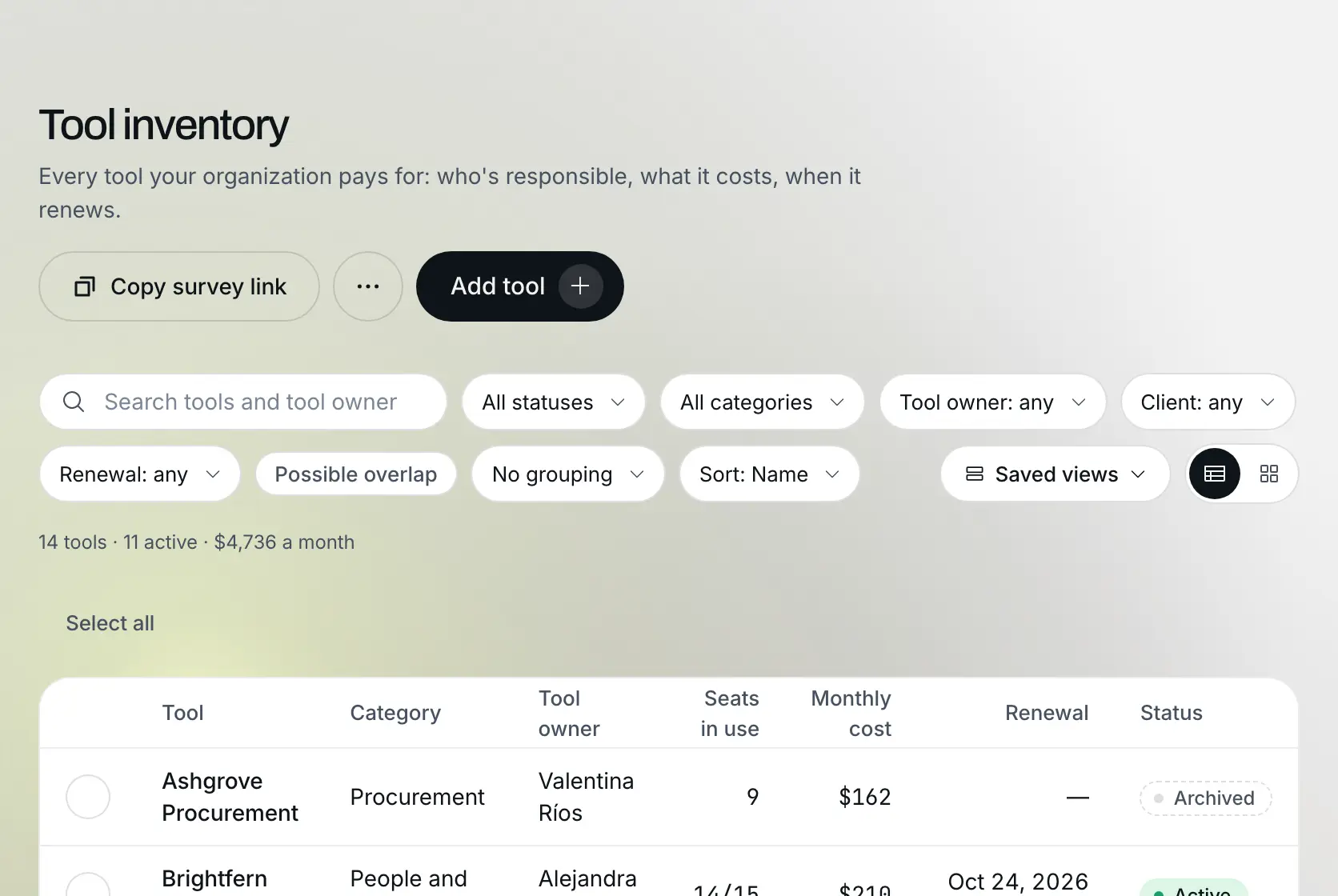
- Step 02
Split the cost by client
Set how much of each tool serves each client, and Cost by client shows what every client costs in tools each month, active tools only.
Example data 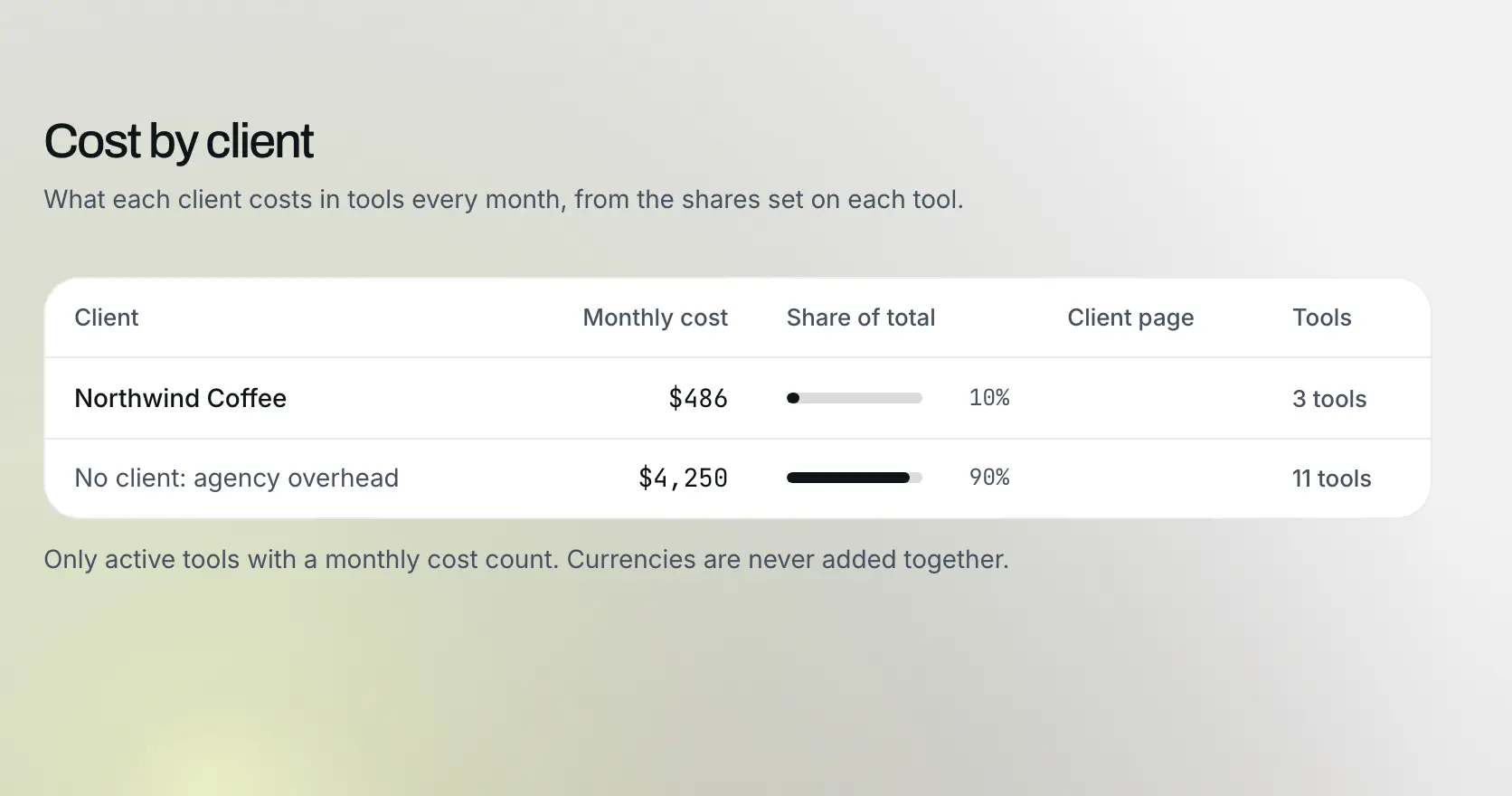
- Step 03
Read the renewals
Renewals are grouped by the next 7, 30 and 90 days, and owners get a digest every Monday, so nothing renews as a surprise.
Example data 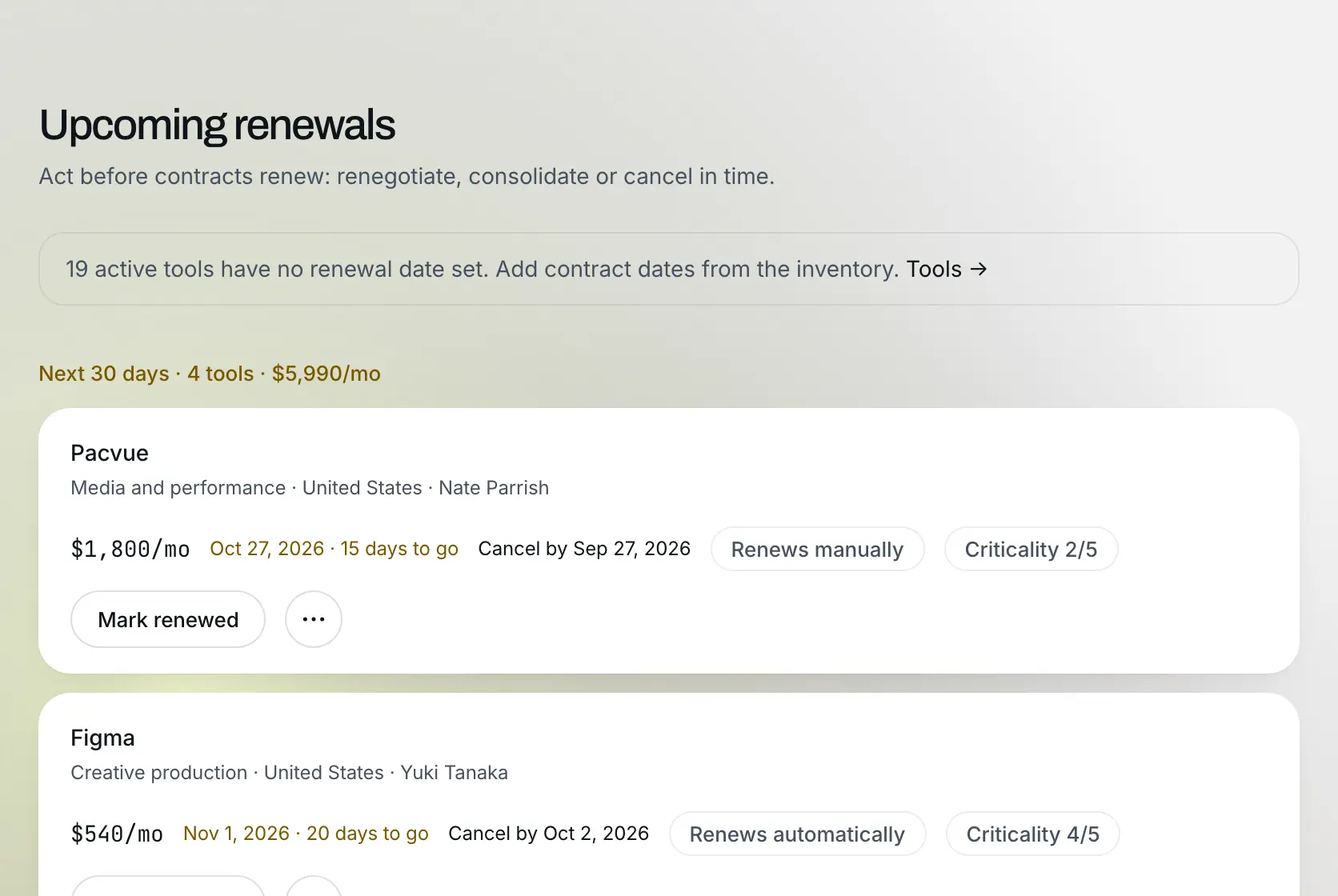
- Step 04
Cancel with the numbers in hand
Group the ledger by category to see where two tools do the same job, and flags any product entered twice. Switch one off for a month before you cancel it, and the monthly total updates when you do.
Example data 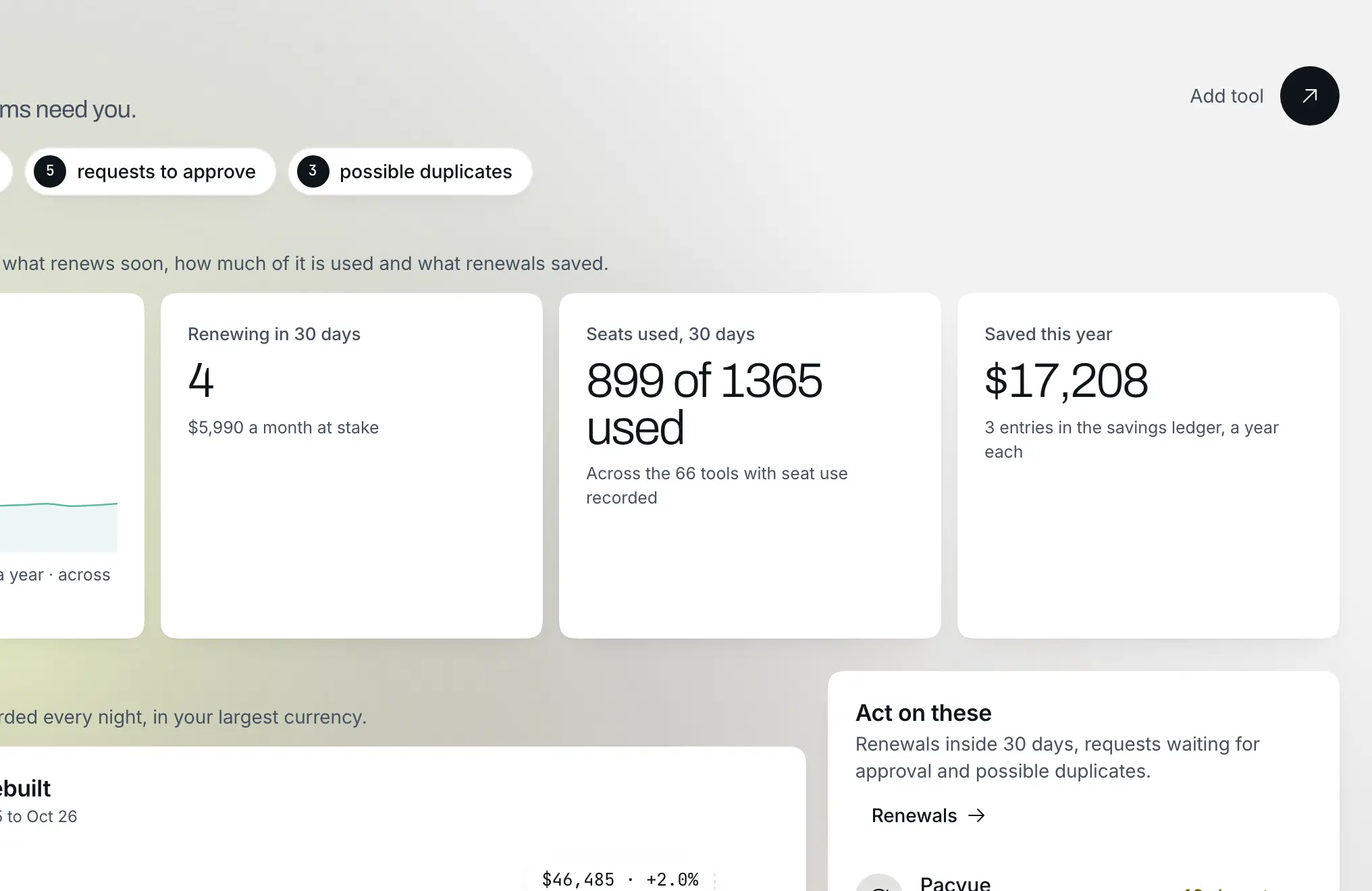


Related playbooks
- 10 minCatch a project going overYou learn a project is going over in the week it starts to slip, while capping or re-pricing it is still a decision you can make.
- 5 minFind out what you agreed with a clientWhat the team knows about a client becomes searchable, and every answer names where it came from.