Skip to content
The operating system for an agency: projects, people, time, and profitability

Catch a losing project while it's still running.

Projects, tasks, capacity, and time tracking feed one live profitability number per project and per client, so status stops living in one person's head.

The problem

  • Ask where a project stands and the answer depends on who you ask, because the real status lives in one person's head, not in a system anyone else can check.
  • Nobody knows who's overbooked or free until someone reconstructs utilization from timesheets and memory once the month has already ended.
  • A project can be quietly losing money for weeks, and the first sign is a margin someone calculates after the work has already shipped.

Not because the work is hard. Because nothing captured it.

/03

What it is

Flow*form is an agency operations platform that tracks a project's tasks, hours, capacity, and cost against its budget while the work is still running.

It turns logged time and resolved rates into a margin per project and per client as the work happens, and flags a project the moment it has burned more of its estimate than the timeline has used.

A margin here needs three real inputs: time logged against the project, a cost and bill rate resolved for the person logging it, and a fee or budget set on the project itself. Miss one and Flow*form says what's missing instead of showing a number that only looks trustworthy.

Every logged hour, priced at the rate that was actually in effect on the day it was logged, nets against a project's budget to produce a gross and net margin, shown per project and rolled up per client. A project flags itself once it has burned more of its estimated hours than the timeline has used, so a thin project surfaces while there's still time to act on it.

Profitability per project and per client

Anyone can see who owns a task and when it's due without a message to ask, and a task that's genuinely late shows as late instead of quietly slipping past its date.

Break a project into phases and tasks, each with exactly one accountable owner, a due date, and dependencies that actually behave like dependencies. View the same filtered set as a list, board, calendar, timeline, or Gantt without re-querying anything.

Projects and tasks with owners and dates

"Can we take this on in September" gets a real answer in September's terms, not a guess, and a staffing search only ever offers someone who genuinely has the hours free.

Book people onto projects ahead of the work, confirmed or tentative, including a placeholder for a role you haven't hired yet, and see who's over-allocated for a coming week before that week arrives. When Skill*form is also active, its approved time off and holidays reduce a person's available hours here directly, so leave is never tracked twice.

Capacity and resourcing across the team

One habit, logging time, is what makes billing, margin, and workload real instead of estimated. Approval on submitted time is off by default, because gating logging behind an approval step is the fastest way to get less of it.

Log time against a task, mark it billable or not, and leave a note. The same entries feed the deviation flag, the profitability number, and the utilization view, so there's no second timesheet to reconcile against.

Time tracking

A client checks status on their own schedule instead of an account lead writing a recap every week, and the page reflects the same data the team is already working from.

Share a token-scoped status page with a client showing a project's stage, its timeline, and what's coming up next, reachable with no login for the client to create or remember.

Client status views

Nobody reconstructs a project's health from memory before a status meeting, and a risk gets flagged and drafted the night it crosses the line rather than weeks later when someone finally asks.

Ask the PM agent about a project's health, deviation, margin, or capacity in chat and get an answer built from the same formulas the screens use, not a separate estimate. Overnight, an agent flags a project trending over budget, behind margin, or showing signs of undocumented scope creep, and drafts the internal explanation or a client-facing update for someone to edit.

AI-written status summaries and risk drafts

An invoice stops being a fresh reconstruction of what was billable that month, because it's built from numbers Flow*form already tracks, and putting approval between drafting and sending means a mistake gets caught before a client ever sees it, not after.

Generating a draft invoice pulls a project's unbilled hours and expenses straight from the same budget already feeding its margin number, automatically, with nothing billed while it's still a draft. Approve and send locks that invoice, renders the PDF, and emails the client in one action, and nothing reaches them before that.

Invoicing and approvals
What it can do
/05

How it works

01

Add clients, projects, and your team

Create each client and project with a start and target end date, and add the people who'll work on it. There's no import from Asana, Monday, or another PM tool today, so this step is manual, project by project.

02

Set a rate card and a budget

Add a cost and bill rate for each role, or use the org default, and set a fee or budget on the project. This is the step that makes profitability computable; skip it and Flow*form reports what's missing rather than a number.

03

Log time and book capacity

The team logs time against tasks, and a resourcing lead books people onto projects ahead of the work, confirmed or tentative. Timesheet approval is off by default, since gating logging behind approval measurably reduces it.

04

Watch profitability and status update on their own

Margin, the deviation flag, capacity, and the client's status page all update from the same logged time and bookings already entered, with no separate report to assemble.

Standing alone

What you get owning only Flow*form

Every Flow*form capability runs on Flow*form's own schema, so nothing here waits on another module being turned on. Add a client and a project, and projects, tasks, time tracking, capacity, budgets, and the profitability and deviation math all work immediately. The PM agent, the nightly deviation and scope-creep alerts, and the client portal all run standalone too.

  • A gross and net margin per project and per client, computed from your own time entries and rate cards, updated as the work happens
  • Capacity bookings and a staffing search that only ever offers someone with the hours genuinely free
  • A nightly agent that flags a project trending over budget or off pace and drafts the explanation before Monday's standup

How fits into the suite

Sends

  • flight datesComing

    The performance signal

  • assigned tasks and deadlinesComing

    The companion signal

Receives

  • recent brief patternsLive

    The creative signal

  • approved time off and holidaysLive

    The talent signal

  • delivery statusComing

    The performance signal

  • skills and availabilityComing

    The talent signal

  • tool costComing

    The infrastructure signal

  • client historyComing

    The memory signal

Without the suite

A project manager tracks campaign deliverables in a generic PM tool that has no idea what a brief or a flight date is.

With it

's stages and dependencies are built for how marketing work actually moves, from brief to delivery.

  • Entities exist once. A client, a brand, a campaign, a person, and a tool are defined in one place and referenced everywhere. No re-entry, no reconciliation, no version drift.
  • Context compounds. Work done in one app makes the others better at their job, because retains it. A point tool starts from zero on every task, forever.
  • The loop closes. Brief, work, performance, learning, next brief. No single purpose tool closes that loop, which is why agencies close it manually in decks and meetings.

Who it's for

Agency owners and principals

See whether a project is actually leaving margin while it's still running, not at the quarterly review, and roll that up per client instead of per invoice.

Operations and traffic managers

Book people onto work ahead of time, including tentative capacity against a deal still moving through the pipeline, see who's over-allocated before it becomes a Friday scramble, and stop reconstructing utilization from timesheets after the month has closed.

Account directors

Hand a client a status page instead of writing a weekly recap, and walk into a status call already knowing which of your projects is trending over budget.

What it replaces

COR, or a stack of Monday or Asana for tasks, Harvest for time, and Float for capacity, reconciled into a profitability spreadsheet by hand

Most agencies run tasks in Monday or Asana, track time in Harvest, plan capacity in Float, and reconcile all three into a profitability spreadsheet once a month, or run the whole thing through COR. Each tool does its own job well; the gap is what happens between them, because none of the four knows whether a project made money without someone exporting from all four and doing the math by hand.

Before

Now

  • Four separate tools, each knowing only its own slice: tasks, time, capacity, or spend

    One operations platform, so profitability comes from data that's already there instead of four monthly exports

  • Utilization gets reconstructed from timesheets once the month has closed

    Bookings show who's over-allocated for a coming week before that week arrives

  • A project's margin shows up in a spreadsheet after the work has shipped

    A project flags itself once it's burned more of its estimate than the timeline allows, while it's still running

  • Status for a client means someone writing a recap

    A client status page updates itself from the same data the team is already working from

Where the AI stands

Models

Claude Sonnet 5 for the PM agent, nightly risk drafts, and AI-drafted proposals, SOWs, and client reportsClaude Opus 4.8 as an optional model an admin can choose for a custom agent

What it decides

  • Answering a question about a project's health, deviation, margin, or capacity in chat, grounded in the same formulas the screens use, never a separate estimate
  • Flagging a project trending over budget, behind margin, or showing signs of undocumented scope creep, and drafting the internal explanation or a client-facing update
  • Drafting a proposal, a statement of work, or a monthly client narrative report from real project data, always saved as a draft

What it does not decide

  • Who's assigned to a task or booked on a project: that's a person acting directly, or a rule an admin configured in the automation engine, never the AI itself choosing an assignment
  • What a project's budget or rate card is: those are set by a person, and every AI feature only ever reads them
  • Whether a client sees a report or a status update: a monthly narrative report is written as a draft and reaches the portal only once a person approves it

Your data

Project, time, and financial data reaches Anthropic's commercial API only when a chat turn runs or a scheduled agent job fires, never continuously or in the background. No code or configuration in this product asserts a training or retention policy for those calls; that determination sits with the provider's own account-level API terms, not with anything this product controls.

Security

Isolation

Every project, task, time entry, budget, and client record is scoped to your organization at the database level, checked on every read and write, with no path for one organization to query another's data.

Access

Flow*form's permission model goes beyond a single admin-or-member split. Named presets, Owner, Finance, Account Director, Project Manager, Collaborator, and Contractor, control who sees cost rates and financial data specifically: Finance and Account Director see margins across every project, Project Manager sees delivery data but not cost rates, and Contractor is restricted to their own bookings, tasks, and time with financial data blocked outright, enforced at the database level rather than hidden in the interface. An expense can never be approved by the same person who submitted it, a rule enforced by a database trigger rather than left to a reviewer's judgment. Access still requires an active Flow*form entitlement plus a signed-in seat, and Signal*form staff can access any organization's Flow*form data for support, the same support model every module in the suite uses.

Export

PDF export and every AI-drafted document run on data your own session already has permission to see, so exporting never surfaces something the interface wouldn't already show you.

Deletion

Deleting a client, project, budget, or time entry soft-deletes it. An admin can see what was removed, by whom, and when, and restore it from a dedicated recovery view. There is no permanent, self-serve organization-level deletion today.

Proof

A margin, not a chart that assumes one

A project's own page shows gross and net margin side by side, never one labelled as the other, plus the deviation flag with the exact hours-burned and timeline-elapsed percentages behind it, and which hours couldn't be priced at all rather than folded into the total as free labor. A project with no fee set shows no margin, not a misleading zero.

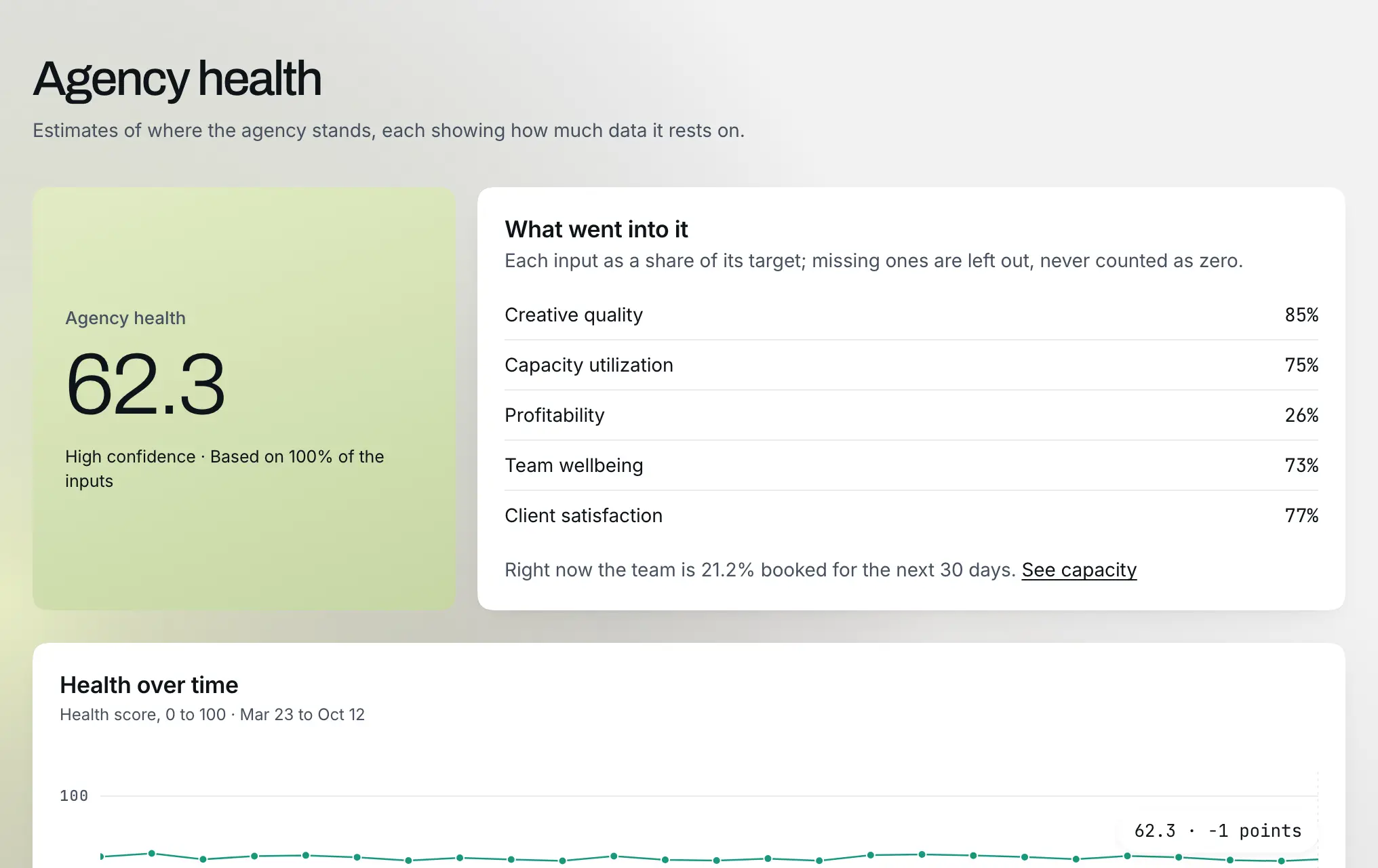
Example data: a sample Flow*form margin summary with the flagged project

Pricing

Single Tool

One signal, dialed in

/mo

billed monthly

  • Any one tool of the suite
  • 120 credits per month
  • 5 seats included
Start free trial

Base

The full suite, small team

/mo

billed monthly

  • Full connected suite
  • 600 credits per month
  • 5 seats included
  • Up to 10 clients
Start free trial
Most popular

Pro

Growing agency pace

/mo

billed monthly

  • Full connected suite
  • 1,800 credits per month
  • 15 seats included
  • Up to 25 clients
Start free trial

Agency

Full throttle, no limits

/mo

billed monthly

  • Full connected suite
  • 4,000 credits per month
  • 25 seats included
  • Unlimited clients
Start free trial

A credit is a prepaid token you spend each time the platform generates something with AI, like a brief or a report, so your plan includes a monthly batch and you can buy more when you run out.

See full pricing

Prices in USD. Annual billing shown per month, billed yearly. Taxes may apply by region.

Common questions

Get started042°196°308°351°

Catch a losing project while it's still running.

Start free trial

Related