Skip to content
Files and client approvals for agencies

Client sign-off, recorded on the exact version.

Versions stack on the file, clients mark up and approve on a link without an account, and the version that ran shows its spend and results.

No card to start. Every product, every seat, for 14 days.

Example data
An Asset* review for Keystone Auto Group's model year event: the key visual with a comment pin, the round's files above it and the approvers' decisions beside it (example data)
What it does

Three things it does, shown on screen.

Library and boards

A file has one home, and a board is a working set for a project, not a copy of it.

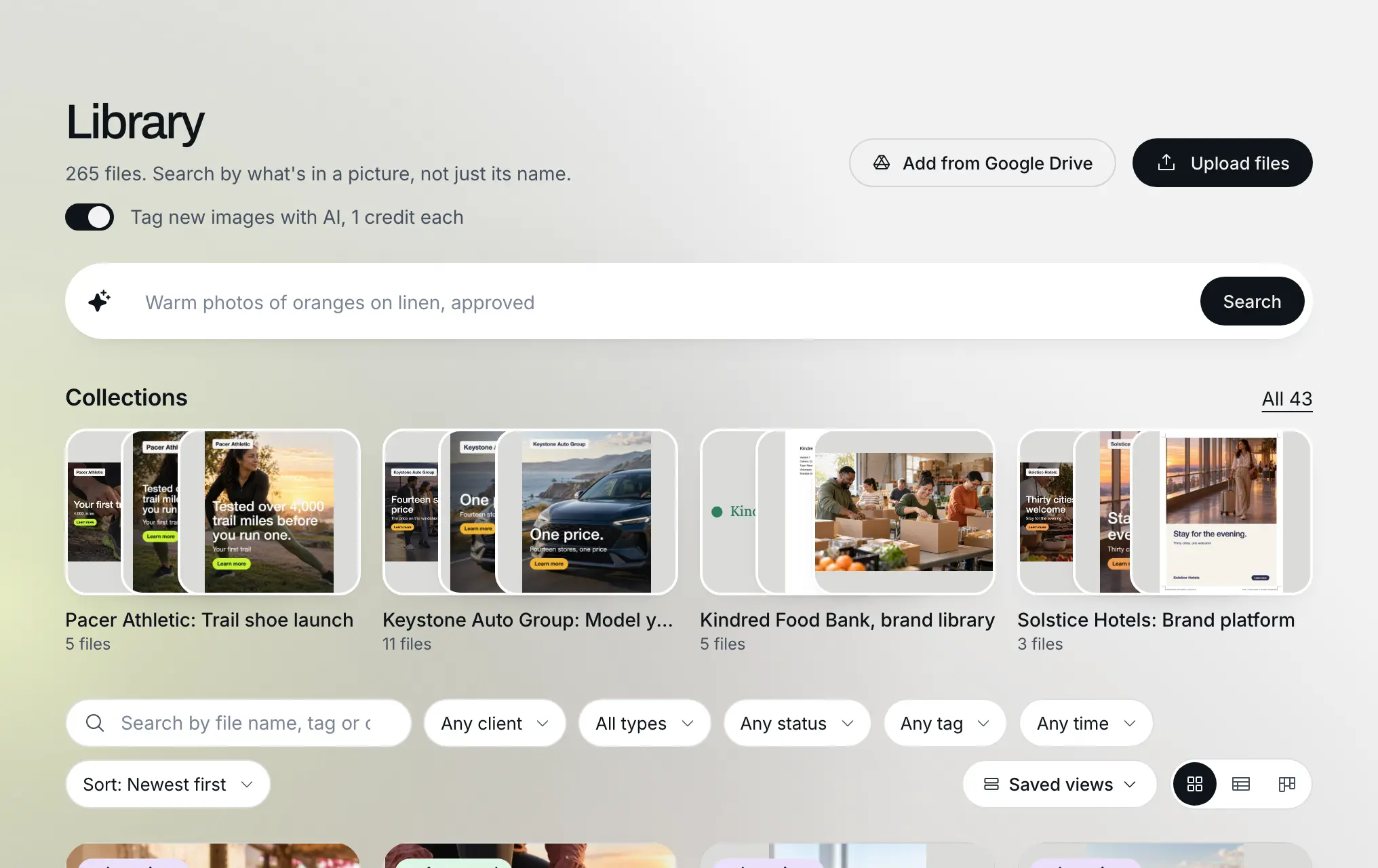
Drop images, video, documents and audio into a private library, group them onto boards per client or campaign, and share a board on a link that can allow comments and downloads.

Example data
Library and boards: Example data
Version stacks

There is one answer to "which version is approved?", and it is on the file, not in a thread.

Upload a new version onto the file instead of beside it. The history shows every version, who uploaded it and its approval state, and the current one is always on top.

Example data
Version stacks: Example data
Staged reviews

Approval is a record with a name and a date, and the desk answers what is blocked.

Open a review with the stages it needs, internal and client, with named reviewers and a deadline for each. Every decision is recorded on the version it was made on, and the desk lists what waits on you.

Example data
Staged reviews: Example data

Also included

  • Client decision on a link. Share a review on a client link. The client marks up, comments and records their decision without signing up; they never see your internal stages, and a stage that is overdue emails its reviewers.
  • Markup on the exact spot. Numbered pins, rectangles and arrows on an image, a comment at a moment in a video, a note on a page of a document, each kept on the version it was made on and resolved when addressed.
  • Revision requests as Flow* tasks. When your agency has , asking for changes on a version creates a task on the project, linked back to the marked-up version. Without , the request is still recorded on the version.
  • Performance of what ran. Link a file to the ads it ran as in ; filename matches are suggested and a person confirms each link. The file then shows spend, cost per result and its flight.
  • Brand portal. Logo variants converted on download, palette exports (.ase, .css, .scss), hosted fonts, a public page and a brand PDF.
  • AI resize to channel sizes. Recompose an image into the channel sizes you pick, with the cost quoted first and a refund if it fails.
  • Share page builder. Build a share page with a headline, cover, layout, theme and an optional name gate, and track opens and decisions.
  • Search by meaning. AI tags, search by meaning, find similar and smart collections across the library.
  • Extend with AI. Widen an image past its edges for a new format, from the library.

Every version of a file, the decision on it and what it did once it ran, in one place.

Files, reviews and client approvals
Example data
Every version of a file, the decision on it and what it did once it ran, in one place.
What Asset* replaces

A shared drive and approvals by email.

The usual setup is a Drive or Dropbox folder for files, email or a marked-up PDF for feedback, and sometimes a review tool that keeps its own copies. None keeps the decision on the version, lets a client decide on the same file without an account, or shows what the approved version did once it ran.

Before

The approved file is whichever attachment came last

Feedback is a marked-up PDF of an old version

The client learns a new tool, or signs off by email

Results live in the ad platforms, the file lives in a drive

One version stack per file, with the approval recorded on the version

Marks pinned to the exact spot, moment or page of the version they were made on

The client comments and decides on a link with no account

Spend and cost per result read on the file that ran

Before you start

The AI, your data and the price, plainly.

  • What the AI doesThe caption, tags and printed text an image gets, on upload when tagging with AI is on or when a person asks; tags a person added stay as they are
  • What it never doesWhich version is approved, or any review decision: those are always a person's, recorded on the version
  • Where your data goesWhen an image is tagged, its preview goes to Anthropic's commercial API; when you ask for an AI resize, the image goes to fal.ai, which runs Google's model. Search runs inside and sends nothing out. Comments, markup, decisions and review links never go to an AI vendor, and training and retention follow each vendor's API terms, not a setting in this product.

Models. Claude Sonnet 5.5 for reading an image: a one-line caption, up to eight search tags and the words printed on it; Google's Nano Banana 2 for recomposing an image into the channel sizes a person picks; A search model that runs inside Signal*form, never at an outside vendor, for search by meaning and finding similar images. Security and the AI, product by product

Pricing
  • Base$99
  • Pro$249
  • Agency$499
  • a month

Three plans. Every product from Pro up. Annual billing: $79, $199, $399 a month. See the pricing page for add-ons and seats.

Works with
  • Start from a locked directionA locked direction's references land in the library as the project's first board, with no re-upload.
    • → : a locked direction's references
  • Revision requests become tasksAsking for changes on a version creates a task on the project, linked back to the marked-up version.
    • → : a revision request on a version
  • Read the results from A file linked to its ads shows its spend and cost per result from , and a person confirms every link.
    • → : what an asset's ads actually spent and returned

Recently shipped

Everything that shipped
  1. One brand voice per client, used everywhere
  2. Edit one area, extend the frame
  3. Your time zone, everywhere
Questions

Common questions

For agencies and brand teams, is creative review and approval. It keeps every version of a file in one stack, runs staged reviews the client decides on a link, and replaces a shared drive plus email approvals.

Get your next sign-off on the exact version in .

14 days, every product, every seat, no card to start.